Get Started with MoveR GO
Here are all the requirements needed to set up MoveR Go in your practice. Some elements can be adjusted to fit your specific setup. Please feel free to contact us through the contact form on this website if you would like to clarify a specific point.
1. Your Practice Space
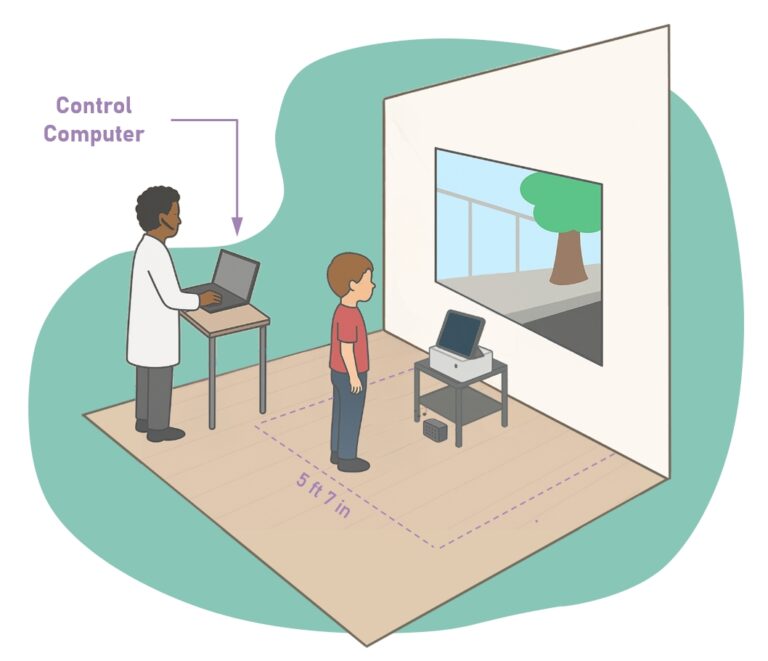
MoveR Go requires a display system in your practice. While a projector is recommended, MoveR Go is also compatible with a TV screen. If your practice is already equipped with a projector, please make sure the following requirements are met:
- The image projected by your projector must be between 30″ and 77″ in size.
- Your patient will be moving during MoveR Go sessions. It is therefore important to make sure they can move across the full width of the display while positioned behind the projector. The patient must never be positioned between the projector and the projection surface, as their own shadow would prevent them from seeing the exercises properly.
- To optimize your space and display setup, and if you do not have an ultra-short-throw projector, it is also possible to install your projector on the ceiling.
- The height of the image should be comfortable for a standing patient.
For Orthoptists only: If you wish to use the Deviometry / Hess-Weiss experience, you will need a 77″ ultra-short-throw display setup, allowing the patient to position their head 50 cm from the projection surface without casting a shadow.
Make sure to carefully check all of these elements in your practice before moving forward.
2. The Apple iPad
MoveR Go runs on an Apple iPad. It must be a recent model, with a standard iPad being no more than 2 years old. A standard Wi-Fi model with 128 GB of storage will run MoveR Go perfectly.
You will also need an adapter to display the iPad content on an external screen. There are two options: a wired adapter, which allows you to connect an HDMI cable, or a wireless solution using the AirPlay protocol, such as an Apple TV.
Please note: if you choose a wired adapter, make sure it also includes a USB-C charging port so that you can charge the iPad while using the video output.
A recommended adapter model is listed in the Shopping List.
3. Your Computer
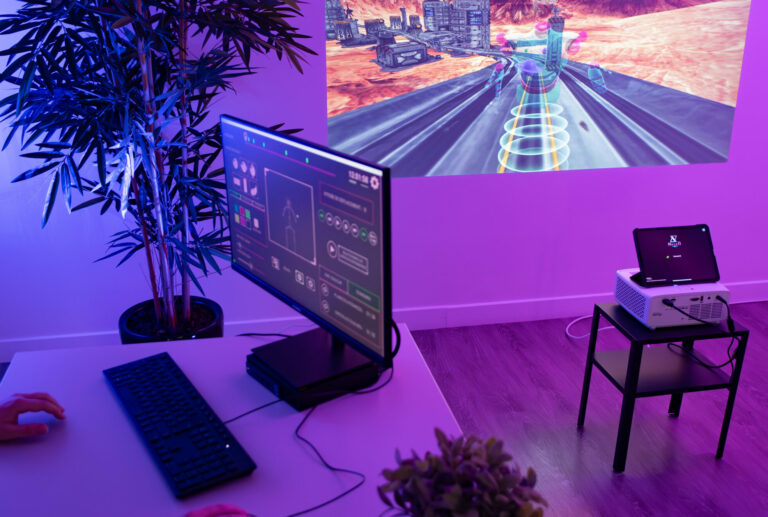
A computer is recommended when using MoveR Go. Why? Because you control all MoveR Go exercise settings in real time. Since the iPad is positioned in front of the patient, with its front camera used for motion tracking, it would not be very convenient to control the session directly from the tablet.
Don’t worry: you do not need a high-performance PC or Mac. Your computer is only used to connect to the iPad over Wi-Fi. If you are using a PC, it must run Microsoft Windows.
Please note that it is still possible to control MoveR Go without a computer, which can be useful as a backup option or when working on the go.
4. The Standard Shopping List
You will also need a few additional items to use MoveR Go to its full potential: 3D glasses, which are optional except for Orthoptists using dedicated Convergence and Deviometry experiences, as well as a few cables and adapters.
To help you get started, we have created Amazon shopping lists based on different budgets. Each list includes a complete MoveR Go setup, including the iPad and a recommended projector model.
You can view these lists freely below.
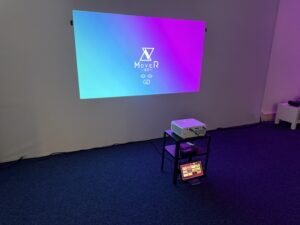
Budget : < $600
Throw distance: For a projected image about 5’7″ wide, the projector should be positioned approximately 5’3″ from the projection wall.
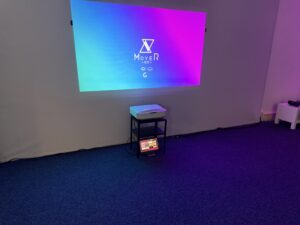
Budget : < $1,700
Throw distance: For a projected image about 5’7″ wide, the projector should be positioned approximately 2’9″ from the projection wall.
Budget : < $2,000
Throw distance: For a projected image about 5’7″ wide, the projector should be positioned approximately 6″ from the projection wall.
5. Ready to Get started?
Once you have checked all the requirements above, you’re ready to go! You’ll get a free 7-day trial.